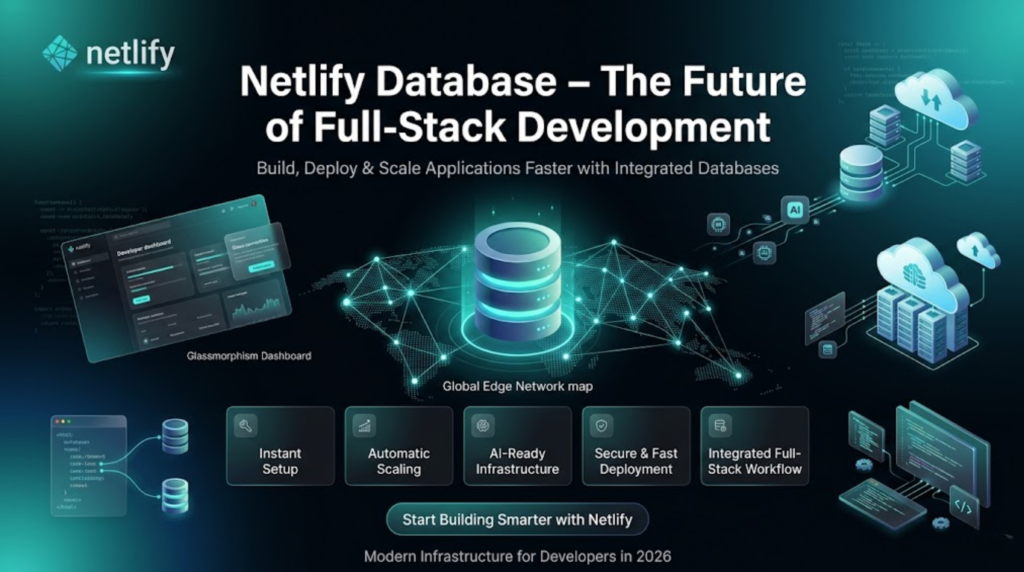
The web development industry is moving faster than ever. Developers now expect platforms that can handle frontend deployment, backend logic, databases, and AI integrations in one seamless workflow.
That’s where Netlify introduces Netlify Database — a powerful feature designed to simplify full-stack application development.
With Netlify Database, developers can instantly add a database to their applications without relying on complicated third-party services. From startups to enterprise applications, this feature helps teams build, deploy, and scale applications more efficiently.
In this guide, we’ll explore everything about Netlify Database, including its features, benefits, use cases, setup process, and why it matters for modern developers.
What is Netlify Database?
Netlify Database is a built-in database solution that allows developers to manage application data directly within the Netlify ecosystem.
Traditionally, developers had to connect external database providers, configure APIs, manage deployments separately, and maintain multiple services. Netlify Database removes that complexity by offering a fully integrated development environment.
Now, developers can:
- Build frontend applications
- Create backend logic
- Store and manage data
- Deploy globally
—all from a single platform.
This makes Netlify a true full-stack development platform for modern web applications.
Key Features of Netlify Database
1. Instant Database Setup
One of the biggest advantages of Netlify Database is its simplicity.
Developers can add a database to their projects within minutes without lengthy setup procedures or server management.
Benefits:
- No manual infrastructure setup
- Faster project initialization
- Reduced development time
- Beginner-friendly workflow
2. Fully Integrated Development Workflow
Netlify Database works seamlessly with:
- Serverless Functions
- Edge Functions
- APIs
- AI integrations
- Static and dynamic websites
This integration creates a unified workflow where developers can manage everything from a single dashboard.
3. Automatic Scalability
Scalability is critical for modern applications.
Whether you’re building:
- A personal portfolio
- A SaaS platform
- An eCommerce website
- An AI-powered app
Netlify Database automatically scales based on application demand.
Advantages:
- No manual scaling configurations
- Better performance under heavy traffic
- Cost-effective infrastructure management
4. Built-In Security
Security is a major concern for developers and businesses.
Netlify Database includes:
- Automatic HTTPS
- Environment variable protection
- Access control systems
- Secure deployment workflows
This ensures application data remains safe and protected.
5. Global Edge Performance
Netlify uses a global edge infrastructure to deliver fast performance worldwide.
Applications connected with Netlify Database benefit from:
- Lower latency
- Faster load times
- Better user experience
- Improved SEO rankings
Why Netlify Database Matters in Modern Web Development
Simplified Full-Stack Development
Before platforms like Netlify Database, developers often managed:
- Hosting providers
- Database services
- API servers
- Deployment pipelines
Now, all these capabilities exist in one ecosystem.
This significantly reduces development complexity.
Faster Deployment Workflow
Netlify supports:
- Git-based deployment
- CLI deployment
- Drag-and-drop deployment
Every change automatically generates a preview link for testing and collaboration.
This improves:
- Team productivity
- Quality assurance
- Continuous deployment workflows
AI-Ready Infrastructure
AI applications are becoming increasingly popular.
Netlify Database supports AI-powered development by enabling developers to:
- Store AI prompts and responses
- Connect with AI APIs
- Build conversational interfaces
- Deploy AI features rapidly
This makes it highly suitable for modern AI SaaS platforms.
How Netlify Database Improves Developer Workflow
Step 1: Start Your Project
Developers can begin using:
- AI-assisted prompts
- Git repositories
- Local CLI tools
This flexibility supports different development styles.
Step 2: Add Backend and Database Logic
Using Netlify Functions and Database:
- Create APIs
- Store user data
- Manage authentication
- Handle application logic
—all inside the same platform.
Step 3: Preview and Test Changes
Every deployment automatically creates a preview URL.
This allows developers and teams to:
- Test features
- Review UI changes
- Validate backend functionality
- Collaborate efficiently
Step 4: Deploy Globally
Once ready, applications can be deployed instantly to Netlify’s global CDN infrastructure.
Benefits include:
- High uptime
- Fast content delivery
- Better reliability
- Seamless scaling
Top Use Cases of Netlify Database
1. AI Applications
Netlify Database is ideal for AI-based projects.
Common AI use cases:
- Chatbots
- AI assistants
- Prompt storage
- User interaction history
- AI-generated content management
2. SaaS Platforms
Software-as-a-Service applications require scalable data handling.
Netlify Database can manage:
- User accounts
- Billing systems
- Subscription data
- Dashboards
- Team collaboration tools
3. E-Commerce Websites
Online stores can use Netlify Database for:
- Product catalogs
- Customer information
- Orders
- Inventory tracking
- Payment workflows
4. Internal Business Tools
Businesses can build:
- Analytics dashboards
- Automation systems
- CRM tools
- Employee portals
- Reporting platforms
with real-time data management.
Netlify Database vs Traditional Databases
| Feature | Netlify Database | Traditional Setup |
|---|---|---|
| Setup Time | Instant | Time-consuming |
| Integration | Built-in | Requires manual configuration |
| Scalability | Automatic | Manual scaling |
| Deployment | Unified workflow | Separate systems |
| Maintenance | Minimal | High maintenance |
| Performance | Global edge network | Depends on infrastructure |
| Developer Experience | Beginner-friendly | Complex |
How to Get Started with Netlify Database
Getting started is simple.
Step 1: Create a Netlify Account
Sign up or log in.
Step 2: Create a New Project
You can:
- Connect a Git repository
- Upload a project manually
- Use Netlify CLI
Step 3: Add a Database
Inside the Netlify dashboard:
- Navigate to your project
- Enable the database feature
- Configure your environment
Step 4: Connect Backend Functions
Use:
- Serverless Functions
- Edge Functions
- APIs
to interact with your database.
Step 5: Deploy Your Application
Deploy your application globally with one click.
Netlify automatically handles:
- Hosting
- CDN distribution
- SSL certificates
- Deployment previews
Benefits of Using Netlify Database
Faster Development
Developers spend less time configuring infrastructure and more time building features.
Reduced Complexity
Managing frontend, backend, and databases in one place simplifies workflows.
Better Collaboration
Automatic preview deployments help teams collaborate effectively.
Cost Efficiency
Small teams and startups can launch applications without managing expensive infrastructure.
Improved Performance
The edge-based architecture improves application speed and user experience.
Potential Limitations of Netlify Database
While powerful, Netlify Database may not be ideal for every project.
Possible limitations:
- Enterprise-level custom database requirements
- Specialized database configurations
- Vendor lock-in concerns
- Advanced relational database use cases
Large enterprises with highly customized infrastructure may still prefer dedicated database solutions.
Is Netlify Database Worth Using?
For modern web developers, the answer is largely yes.
If your goal is:
- Faster development
- Simpler workflows
- Integrated deployment
- AI-ready infrastructure
- Automatic scalability
then Netlify Database offers a strong solution.
It is particularly useful for:
- Startups
- Indie developers
- SaaS founders
- AI product builders
- Agencies
Future of Full-Stack Development with Netlify
The introduction of Netlify Database signals a broader industry trend toward integrated development platforms.
Developers increasingly prefer platforms that combine:
- Hosting
- Backend logic
- Databases
- AI tools
- Deployment pipelines
into a unified ecosystem.
Netlify is positioning itself as a major player in this evolution.
Conclusion
Netlify Database is transforming how developers build and deploy modern web applications.
By integrating database functionality directly into the Netlify ecosystem, developers can:
- Reduce infrastructure complexity
- Build faster
- Deploy smarter
- Scale effortlessly
Whether you’re building an AI application, SaaS platform, eCommerce website, or internal tool, Netlify Database offers a streamlined approach to full-stack development.
As web development continues evolving in 2026, integrated platforms like Netlify will likely become the standard for modern application development.
Frequently Asked Questions (FAQs)
What is Netlify Database used for?
Netlify Database is used for storing and managing application data directly within the Netlify platform.
Is Netlify Database free?
Netlify offers free plans, but advanced database and scaling features may require paid subscriptions.
Can I use Netlify Database for AI applications?
Yes, Netlify Database supports AI integrations and is suitable for storing prompts, responses, and AI-related data.
Does Netlify Database scale automatically?
Yes, Netlify Database is built on scalable infrastructure that automatically adjusts based on traffic and usage.
Is Netlify Database suitable for beginners?
Yes, its simplified setup and integrated workflow make it beginner-friendly.
Can I connect APIs with Netlify Database?
Yes, developers can connect APIs, serverless functions, and edge functions seamlessly.