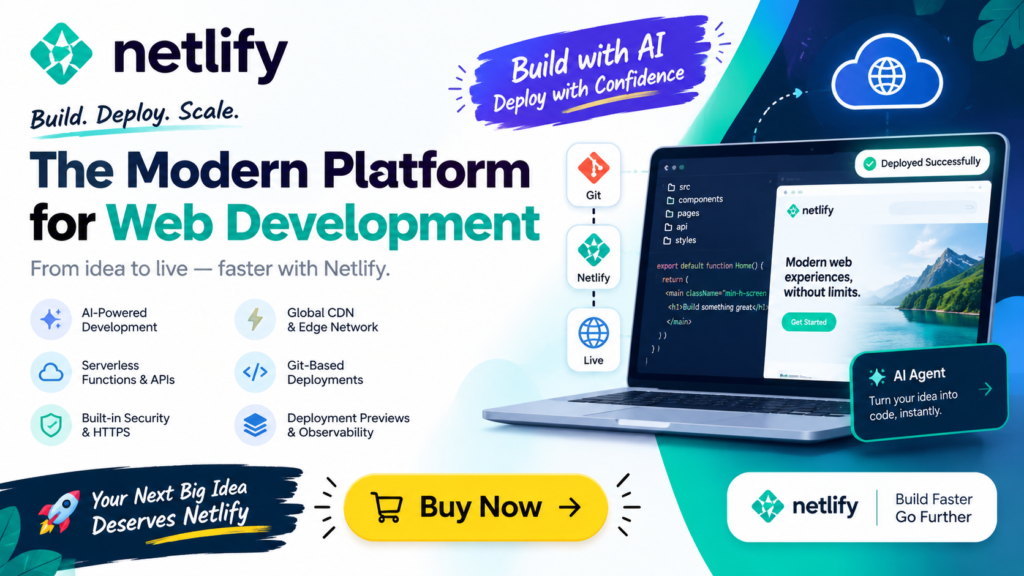
Netlify is a modern web development and deployment platform that helps developers, businesses, and AI builders create, deploy, and scale websites and web applications. It combines AI-assisted development, Git-based workflows, serverless functions, APIs, deployment previews, security, and global infrastructure in one platform.
For developers who want to move from an idea or AI-generated code to a live website quickly, Netlify provides several ways to get started. You can build with an AI agent, connect a Git repository, deploy through the Netlify CLI, or upload a project using drag and drop.
In this guide, we’ll explore what Netlify is, how Netlify works, its key features, benefits, use cases, AI capabilities, and how beginners can get started.
What Is Netlify?
Netlify is a cloud platform designed for building, deploying, and managing modern websites and web applications.
Instead of managing traditional servers manually, developers can connect their code to Netlify and use automated deployment workflows. Changes pushed to a Git repository can trigger new deployments, while preview environments allow developers to test changes before publishing them.
Netlify also provides infrastructure for more advanced applications, including:
- Serverless functions
- APIs
- Databases and file storage
- Authentication
- AI integrations
- Edge computing
- Background tasks
- Scheduled jobs
- Deployment previews
- Observability
- Security and access management
This makes Netlify useful for everything from simple websites and landing pages to SaaS applications and AI-powered web apps.
Netlify at a Glance
| Feature | Netlify |
|---|---|
| Platform type | Web development and deployment platform |
| Deployment | Git, CLI, AI agents, drag and drop |
| AI development | AI agent workflows and AI Gateway |
| Backend | Serverless Functions and APIs |
| Deployment previews | Yes |
| CDN | Global edge network |
| HTTPS | Automatic |
| Security | DDoS protection and access controls |
| AI integrations | Multiple AI model providers through AI Gateway |
| Suitable for | Websites, SaaS, AI apps, ecommerce and internal tools |
How Does Netlify Work?
Netlify simplifies the process of taking a website or web application from development to production.
A typical workflow can look like this:
Build → Preview → Test → Deploy → Monitor → Update
Developers can start with an existing project or create a new application with an AI-assisted workflow.
Once the project is connected to Netlify, changes can be deployed automatically. Developers can also generate private preview URLs to review changes before making them publicly available.
This workflow is particularly useful for teams because developers can collaborate, test new features, and roll back deployments when necessary.
Key Features of Netlify
1. AI-Powered Web Development
One of Netlify’s notable features is its focus on AI-assisted development.
Developers can describe what they want to build and use an AI agent to help create the application. This can reduce the amount of repetitive development work involved in creating prototypes and web applications.
AI-assisted development can be useful for:
- Creating website prototypes
- Building UI components
- Developing AI-powered applications
- Testing ideas
- Generating application code
- Iterating on existing projects
AI does not eliminate the need for developers, but it can make the development process faster and more accessible.
2. Deploy From Git
Netlify supports Git-based deployment workflows.
Developers can connect a repository and configure the project so that changes pushed to the repository automatically trigger deployments.
This creates a straightforward development cycle:
- Write or modify code.
- Commit the changes.
- Push them to Git.
- Netlify builds the project.
- The updated application is deployed.
Developers can also use preview deployments to review changes before they reach the production version.
3. Deployment Previews
Deployment previews are useful when multiple people are working on the same project.
Instead of immediately publishing every change to the live website, developers can review a preview version first.
This can help teams:
- Test new features
- Review design changes
- Find bugs
- Share work with clients
- Approve changes before production
For agencies and development teams, preview-based workflows can make collaboration considerably easier.
4. Netlify CLI
Developers who prefer working from a terminal can use the Netlify CLI.
The command-line workflow allows developers to manage deployments from their local development environment.
For example, the Netlify documentation provides CLI-based deployment workflows that can be used to deploy projects directly from a working directory.
This approach is particularly useful for developers who already use terminal-based development workflows.
5. Drag-and-Drop Deployment
Netlify also provides a simple deployment method for users who do not want to configure a complete Git workflow.
A project folder can be uploaded through the platform’s drag-and-drop workflow.
This can be helpful for:
- Beginners
- Static websites
- Small projects
- Demonstrations
- Quick prototypes
It provides a relatively simple way to get a website online without setting up a complicated deployment pipeline.
Netlify for AI Applications
The growth of generative AI has created a new category of web applications.
These applications often need both a frontend and backend infrastructure capable of communicating with AI models.
Netlify provides tools designed to support this type of application.
Its AI-focused capabilities include AI Gateway and Agent Runners, which are intended to help developers build, test, and deploy AI-powered experiences.
What Is Netlify AI Gateway?
Netlify AI Gateway provides a way for applications to connect with AI models through a unified gateway.
This can simplify the process of integrating AI capabilities into web applications.
For example, an application could use an AI model to:
- Generate text
- Create summaries
- Generate alt text
- Analyze information
- Build chat experiences
- Process user requests
A unified AI integration can also make it easier for development teams to experiment with different AI models.
Netlify Serverless Functions
Traditional web applications often require developers to maintain backend servers.
Netlify provides Serverless Functions, allowing developers to run backend code without managing traditional server infrastructure.
Serverless functions can be used for tasks such as:
- Creating APIs
- Processing form submissions
- Calling external services
- Connecting applications to AI models
- Handling authentication-related logic
- Processing data
For example, an AI application could send a user’s request to a serverless API endpoint, which then communicates with an AI model and returns the result to the frontend.
Netlify for Full-Stack Applications
Netlify is not limited to static websites.
Its platform includes tools intended for building full-stack applications.
A modern application can combine:
Frontend + APIs + Functions + Data + Authentication + AI
This makes the platform relevant to developers building:
- SaaS products
- AI applications
- Ecommerce websites
- Internal business tools
- Customer portals
- Marketing websites
- Web applications
Developers can therefore use one platform for multiple parts of the application lifecycle.
Netlify Security Features
Security is an important consideration when deploying applications online.
Netlify provides infrastructure features such as automatic HTTPS and DDoS protection.
Teams can also manage access, secrets, and environment variables.
These capabilities are important when applications use:
- API keys
- Database credentials
- AI model credentials
- Third-party APIs
- Authentication systems
- Private configuration values
Developers should still follow secure coding practices and avoid exposing sensitive credentials in frontend code.
Netlify Global Infrastructure
Netlify uses a global edge network to deliver websites and applications to users.
For websites with visitors from different geographic regions, a distributed infrastructure can help deliver content closer to users.
Netlify also states that its platform provides a 99.99% uptime target.
Actual application performance, however, depends on several factors, including application architecture, third-party services, backend functions, databases, and the user’s network connection.
What Can You Build With Netlify?
Netlify supports a wide range of web projects.
Marketing Websites
Companies can use Netlify to deploy:
- Company websites
- Landing pages
- Product pages
- Documentation websites
- Campaign websites
AI Applications
Developers can build AI-powered experiences such as:
- AI chat applications
- AI writing tools
- AI summarization tools
- AI content assistants
- AI-powered search experiences
- AI image and text applications
SaaS Applications
Netlify can also be used as part of the infrastructure for SaaS products.
A SaaS application can combine a frontend, APIs, authentication, databases, and third-party services.
Ecommerce Websites
Developers can build modern ecommerce experiences and connect them with external payment, inventory, product, and customer-management systems.
Internal Tools
Businesses can create internal applications for:
- Dashboards
- Employee portals
- Data management
- Reporting
- Workflow automation
Netlify vs Traditional Web Hosting
Traditional hosting and modern deployment platforms work differently.
With traditional hosting, users may need to manage servers, software configurations, deployments, and other infrastructure tasks.
Netlify focuses on automating much of the deployment workflow.
| Factor | Traditional Hosting | Netlify |
|---|---|---|
| Deployment | Often manual or semi-automated | Automated workflows available |
| Git integration | Depends on provider | Built into workflow |
| Preview deployments | Not always available | Supported |
| Serverless functions | Depends on host | Supported |
| AI development tools | Usually limited | AI-focused capabilities |
| CDN/edge infrastructure | Depends on provider | Included in platform |
| CLI deployment | Provider dependent | Available |
The right choice depends on the requirements of the project, development workflow, budget, and technical architecture.
Is Netlify Good for Beginners?
Netlify can be approachable for beginners because it offers multiple ways to deploy a website.
A beginner can start with a simple project and gradually learn more advanced features.
For example, a learning path could be:
- Create a basic HTML/CSS website.
- Deploy it using a simple upload workflow.
- Learn Git and connect a repository.
- Use deployment previews.
- Learn serverless functions.
- Connect APIs.
- Experiment with AI integrations.
- Build a complete full-stack application.
This makes Netlify useful not only for experienced developers but also for students learning modern web development.
How to Get Started With Netlify
Getting started generally involves creating a project and selecting a deployment method.
You can choose between several approaches.
Method 1: Use an AI Agent
Describe the application you want to build and use an AI-assisted workflow to generate and develop the project.
Method 2: Connect Git
Connect an existing Git repository and configure the build and deployment settings.
Method 3: Use the Netlify CLI
Develop locally and deploy through the command line.
Method 4: Drag and Drop
Upload a suitable project folder through the drag-and-drop workflow.
Beginners may find the drag-and-drop approach easiest for their first static website, while developers working on larger projects may prefer Git-based deployments.
Advantages of Netlify
Netlify offers several capabilities that make it attractive for modern web development.
Faster Deployment
Automated deployment workflows can reduce the amount of manual work required to publish updates.
AI-Friendly Development
AI tools can help developers prototype and build applications faster.
Git-Based Workflow
Automatic deployments and preview environments can improve development collaboration.
Serverless Architecture
Serverless functions allow developers to add backend functionality without managing conventional servers.
Scalable Infrastructure
The platform is designed to support projects from small websites to applications receiving significant traffic.
Multiple Deployment Options
Users can deploy through Git, CLI, AI workflows, or drag and drop.
Limitations and Considerations
Although Netlify provides many features, developers should evaluate their project requirements before choosing any platform.
Important considerations include:
- Pricing and usage limits
- Build minutes and deployment requirements
- Function execution limits
- Database requirements
- Vendor-specific features
- Third-party integrations
- Application architecture
- Traffic and bandwidth requirements
A simple static website may have very different requirements from a large SaaS application.
Therefore, developers should review Netlify’s current pricing, documentation, and service limitations before selecting a plan for production use.
Netlify for Developers in 2026
Modern web development is increasingly moving toward AI-assisted development, automated deployments, serverless infrastructure, and edge-based applications.
Netlify combines several of these trends into one development platform.
For developers in 2026, the platform can be relevant when building applications that combine traditional web development with AI capabilities.
Instead of treating AI development, frontend development, backend functions, and deployment as completely separate processes, developers can bring many of these workflows together within the same platform.
Frequently Asked Questions About Netlify
What is Netlify used for?
Netlify is used to build, deploy, and manage websites and web applications. It supports Git-based deployments, serverless functions, APIs, deployment previews, AI integrations, and other modern web development workflows.
Is Netlify free?
Netlify offers different plans and usage options. Availability of specific features and limits can change, so users should check the current official pricing information before choosing a plan.
Is Netlify a hosting platform?
Yes. Netlify provides hosting and deployment infrastructure for websites and web applications, along with development and backend capabilities.
Can I use Netlify for AI applications?
Yes. Netlify provides AI-focused capabilities, including AI Gateway and Agent Runners, that can be used when building AI-powered web experiences.
Can beginners use Netlify?
Yes. Beginners can start with simple deployment methods and gradually learn Git, serverless functions, APIs, and AI integrations.
Can Netlify host a React website?
Yes. Netlify can be used to deploy modern frontend applications, including projects built with popular JavaScript frameworks and libraries.
Does Netlify provide backend functionality?
Yes. Netlify provides serverless functions and other platform capabilities that can be used to implement backend functionality.
What is Netlify AI Gateway?
Netlify AI Gateway is designed to provide an integration layer for connecting applications with AI models, making it easier to build AI-powered web applications.
Final Thoughts
Netlify has evolved beyond simple static website hosting into a broader platform for modern web development.
Its combination of AI-assisted development, Git deployments, deployment previews, serverless functions, APIs, edge infrastructure, security features, and AI integrations makes it suitable for a wide variety of web projects.
For beginners, Netlify can provide a straightforward way to learn deployment and modern web development. For experienced developers, its automated workflows and serverless infrastructure can help streamline application development and deployment.
As AI becomes increasingly integrated into web applications, platforms such as Netlify are also becoming relevant to developers who want to move from an AI-generated idea or prototype to a production-ready web experience.
For the latest features, pricing, and technical documentation, always check Netlify’s official resources before making a production decision.